Legcast Start free trial

You throw. Legcast runs the broadcast.

Legcast follows your DartCounter match dart by dart and drives OBS for you. It picks the camera, zooms in on your finish, replays the game shot, shows the score update and saves clips for TikTok. You just play.
Everything in Pro for 14 days. No card needed.
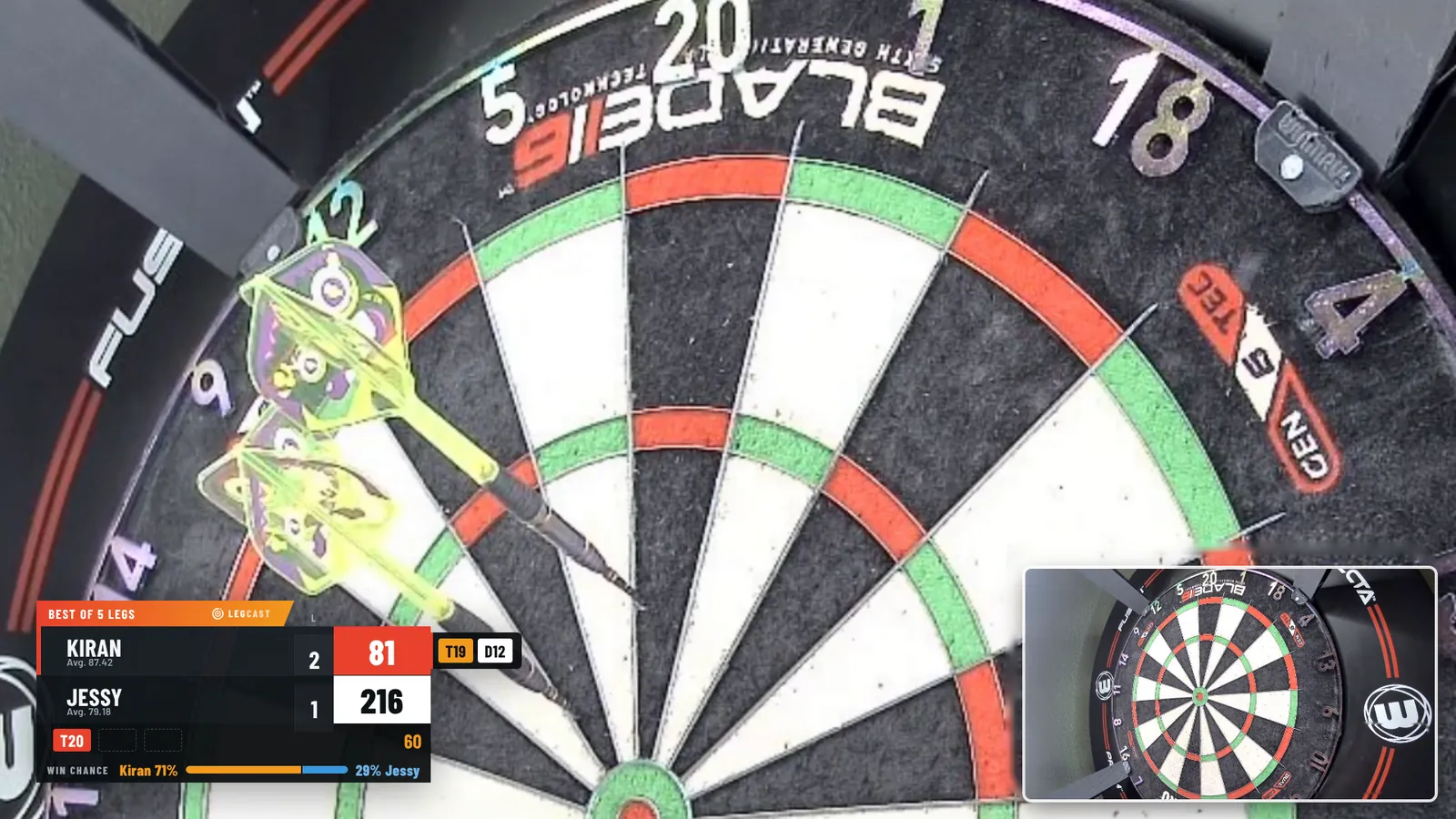
Legcast in OBS: camera zoomed in on the treble 20 with three darts in the board, scoreboard bottom left showing Kiran on 81 with route T19 D12 and a win chance of 71 percent, opponent camera bottom right
Rendered by Legcast on a real board camera. Auto-zoom on the treble, checkout route T19 D12, win chance, opponent camera in the corner.1920 × 1080 in OBS Studio
Works withDartCounterTarget OmniOBS StudioTikTok LIVEYouTubeTwitch

A best-of-5, minute by minute

This is the running order of an online match with Legcast switched on. Nobody touches OBS. You can switch any of it off and choose how often the stats appear.

TimeMomentWhat Legcast does
19:55Before you start"Starting soon" screen with a countdown and tonight's highlights so far.
20:00Players announcedHead-to-head card: form, average, highest finish and your record against each other.
20:01Game onSwitches OBS to your match scene behind a short transition.
20:04Kiran needs 81Shows the route T19 D12, zooms the camera onto the treble, then onto the double.
20:05Opponent's turnFades to their board camera and zooms there too if they play on an auto-scoring board.
20:06180Banner and sound, the 180 counter ticks up, and a clip of the throw is saved.
20:09Game shot, 121Slow-motion replay of the winning darts, then "Leg 3 · Jessy to throw".
20:12New song on SpotifyA small "Now playing" card for five seconds, then it gets out of the way.
20:16After two legsQuick score update with averages, 180s and best leg.
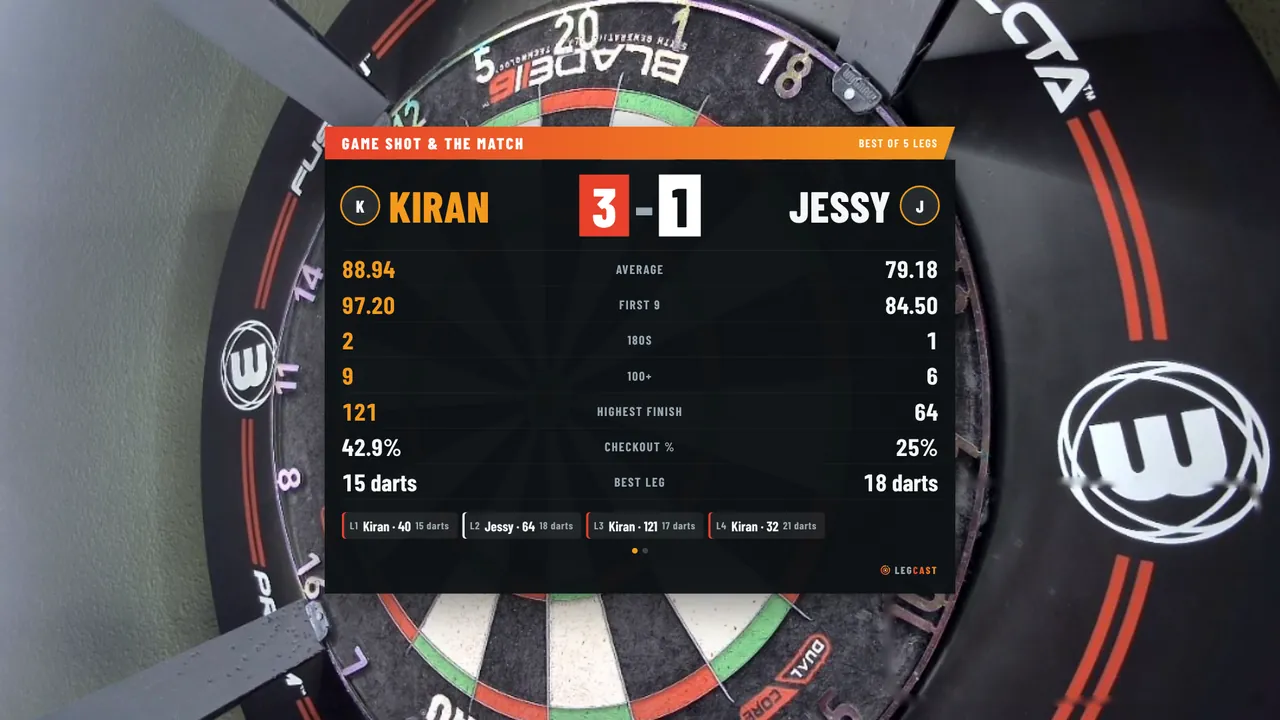
20:31Match overSummary with the course of the match, doubles and a hitmap. Then back to your break scene.

Before and after every match

Legcast keeps your matches on your own computer and turns them into cards your viewers want to see.
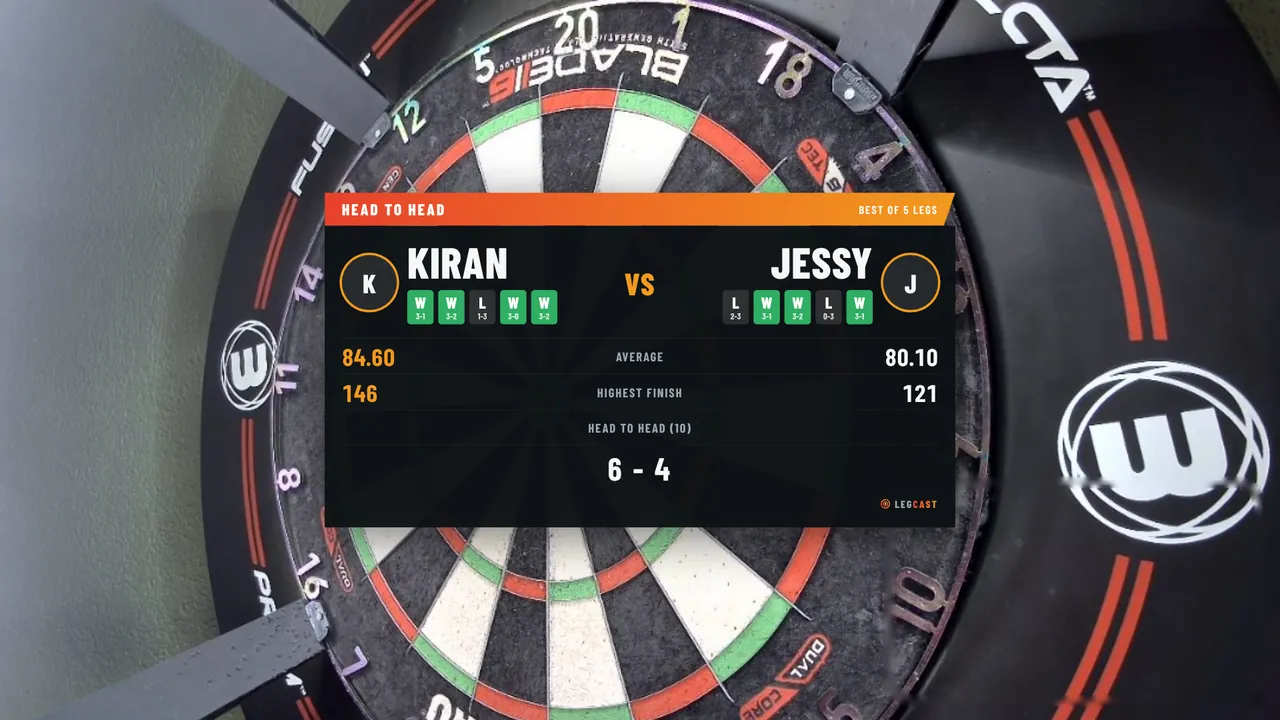
Head-to-head card: Kiran against Jessy, record 6 to 4, averages, highest finish, 180s and recent form
Before: the head-to-head, as soon as DartCounter introduces the players.
Match summary: Kiran wins 3 to 1, with average, first 9, 180s, highest finish, checkout percentage and the four legs
After: the summary. A second page shows how the match went, the doubles and where your darts landed.
Vertical TikTok scene: board camera on top with a 180 banner, scoreboard below

Built for vertical

One click builds a 1080 × 1920 scene in OBS: camera on top, a blurred copy behind it so there are no black bars, the scoreboard underneath and room for comments.

  • Clips without editing. Every 180, big finish and won leg is saved straight from OBS, in the same quality as your stream and with the throw itself in it.
  • Two cameras, one for you. Duo scenes for TikTok and YouTube or Twitch: you on the left, the board on the right. No second webcam? Scan a QR code and your phone is the camera.
  • Your own logo. Pro puts your logo and @handle next to ours, on the scoreboard, the cards and every clip.
  • English, German or Dutch. Everything on screen follows the language you pick.

Four looks

Pick a theme and, in Premium and Pro, your own colours. Each one below is rendered by Legcast itself.
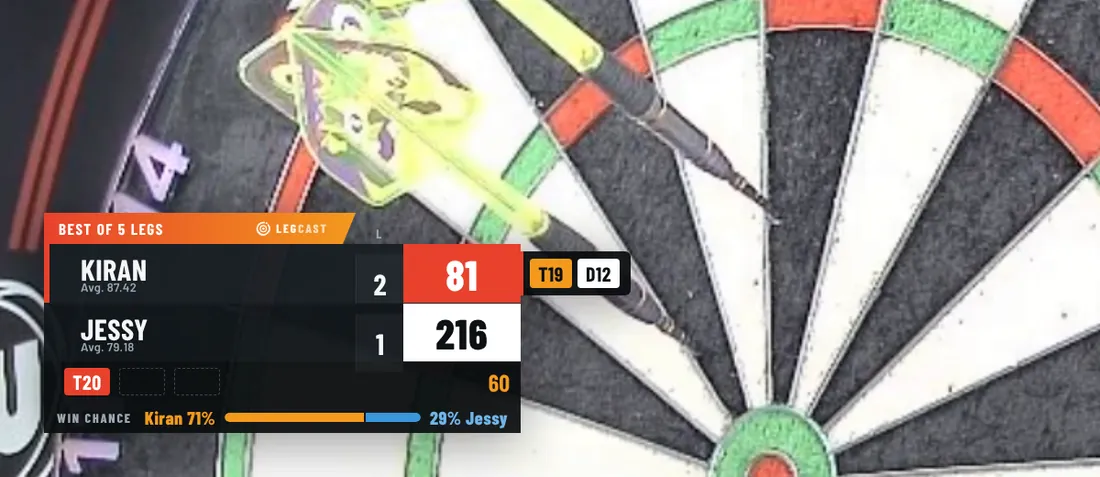
Scoreboard in the Legcast theme

Dark with orange. Included in every plan.

Live in five minutes

No installer, no server, nothing running in the background besides OBS.

  1. 1

    Add the extension

    Install Legcast in Chrome or Edge. Your 14 days of Pro start straight away.

  2. 2

    Connect OBS

    Paste the WebSocket password from OBS. Legcast finds its files and builds your scene.

  3. 3

    Play a match

    Open DartCounter, turn on your camera and throw. Legcast takes it from the first dart.

Pricing

Start with 14 days of Pro for free, then pick a plan. Cancel any time and keep access until the end of your period.

Basic

A proper scoreboard without the hassle.

€59per year
  • Live scoreboard and checkout routes
  • Your camera from DartCounter
  • Sounds and automatic scene switching
  • "Starting soon" screen
  • Setup assistant and the Legcast theme
Choose Basic

Premium

Most popular

For weekly streamers who want it to look like TV.

€99per year
  • Everything in Basic
  • Two cameras that switch with the thrower
  • Auto-zoom on your finish
  • Game shot replay
  • Head-to-head, score update and summary
  • Duo scenes with a player camera, phone works too
  • Transitions, profile pictures, all themes
  • "Now playing" from Spotify
Choose Premium

Pro

For players growing a channel with clips and stats.

€149per year
  • Everything in Premium
  • Automatic clips of 180s, big finishes and won legs
  • Win chance, 180 counter, double hit rate
  • Records and milestones
  • Practice overlays
  • Zoom on your opponent's board
  • Your own logo and @handle on screen
Choose Pro
Licence key by email after purchaseWorks on 2 computersPrices include VATPayments handled by Polar

Everything per plan

Questions

Do I need to do anything while I play?

No. Legcast reads the score from DartCounter and drives OBS: scenes, cameras, zoom, replays, cards and clips. The countdown and other manual buttons are in the extension menu if you want them.

Does it work without a Target Omni?

Yes. The scoreboard, cameras and cards also work with typed-in scores. Darts per turn, per-dart zoom and the hitmap work best with an Omni or another auto-scoring board.

What if my opponent has no camera?

Then your own camera stays on screen, zoomed out while they throw. If they do have one, ask them first if they're happy to be on your stream. You can switch their camera off in the settings.

Can I use my phone as a second camera?

Yes. Pick "Phone via QR code" in the settings, scan the code and your phone streams straight into OBS. No app to install, and it works when your PC is on a cable and your phone on Wi-Fi.

How does "Now playing" work?

Open Spotify in Chrome (or control the Spotify app from the web player) and Legcast shows the song for a few seconds whenever it changes. Optional, and off by default.

How does the licence work?

You get a licence key by email. Paste it into the Legcast menu in Chrome. One key works on two computers, and you can move it to a new PC yourself.

What happens after the trial?

The overlay stops and OBS shows a short notice. Your settings and stats stay, so you carry on where you left off once you add a key.

What do I need for TikTok LIVE?

TikTok gives LIVE access from age 18 and 1,000 followers. Not there yet? Stream on YouTube or Twitch and post the automatic clips to grow.

Where is my data kept?

On your own computer. Matches, stats and clips never leave it. Only your licence key is checked with our payment provider. The details are in our privacy policy.

Which languages?

Everything on screen is available in English, German and Dutch. Legcast follows the language of Chrome unless you pick one.

Let your next match broadcast itself.

Legcast is in final testing with real Omni matches. At launch you get 14 days of Pro for free, and the first 100 customers keep 30% off for as long as they stay subscribed.